
Physiomobile Partner Learning
From MHPS Registration to a Practising Certificate: A Visual Guide for Physiotherapists
A practical guide from opening an MHPS account to downloading a Practising Certificate, with a free 18-page illustrated PDF in Bahasa Melayu.
Physiomobile Team · 5 November 2026 · 10 min read
Get the free illustrated PDF (BM)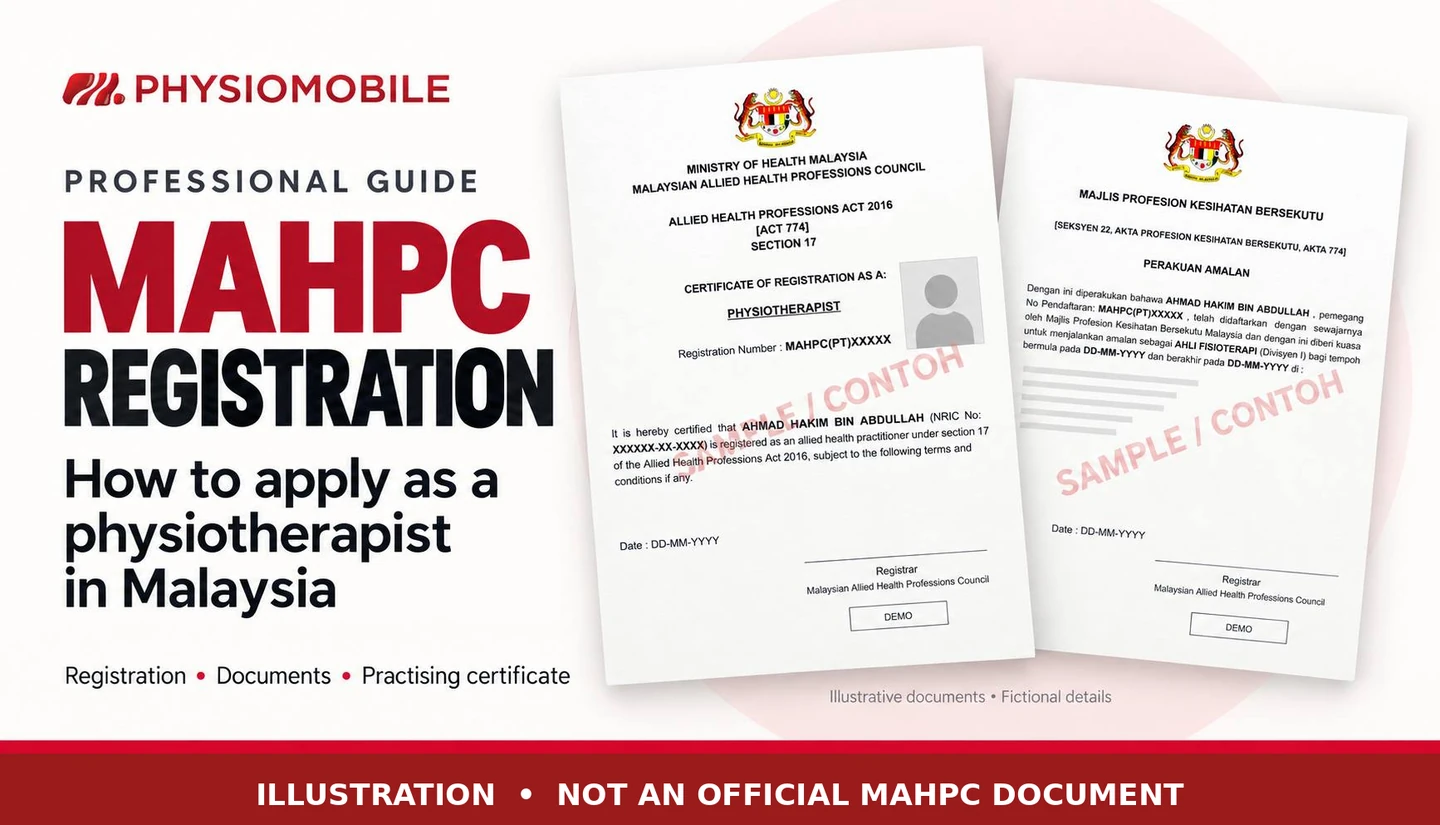
Editorial illustration with fictional sample details. It is not an MAHPC-issued document, portal screen or government endorsement.
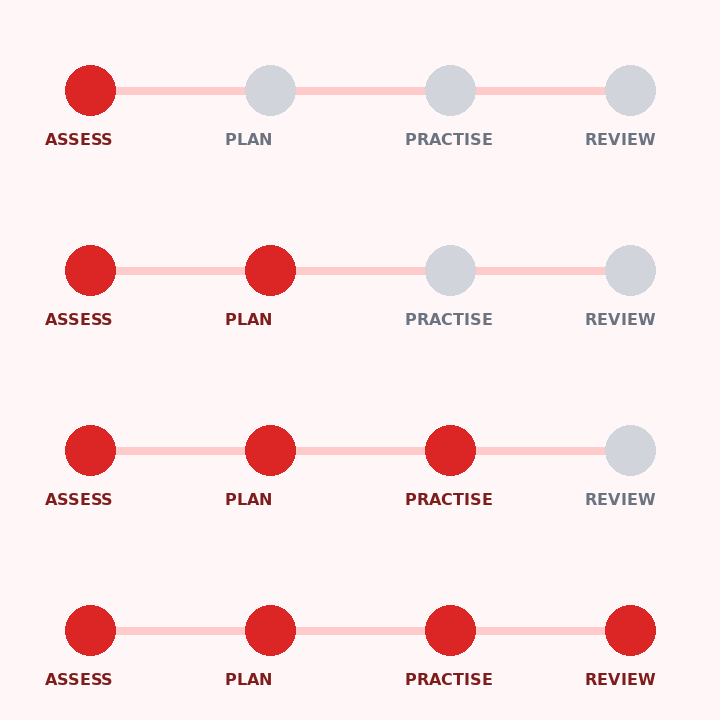
Physiotherapists applying through the Malaysian Healthcare Practitioners’ System (MHPS) need to complete three distinct steps: create an account, obtain professional registration with the Malaysian Allied Health Professions Council (MAHPC), and apply for a Practising Certificate (PC).
Physiomobile has prepared a 18-page Bahasa Melayu guide with 27 annotated figures to help applicants follow that sequence. It covers menu choices, supporting documents, payment stages and certificate downloads. This is an independent educational resource, not a document issued or endorsed by MAHPC.
The guide focuses on first-time applications by Malaysian physiotherapists in private practice, including freelance partners and independent house-call practitioners without a centre. Non-Malaysians, applicants whose qualifications are not listed and those with unusual practice arrangements should seek instructions directly from MAHPC. Check the official MAHPC information page.
An MHPS account is the start of the process
Creating an account provides access to MHPS. Professional registration still requires a separate application and approval before a registration certificate is issued. A PC application follows that stage. Applicants should check the status of each application and the validity dates on their issued certificates.
1. Prepare the documents before completing the form
- Prepare certified academic qualifications, transcripts where applicable, the practice verification form and relevant employment or practice evidence.
- Follow the specific MHPS photograph guide: 35 mm × 50 mm, JPG or PNG, with a file size no larger than 100 KB.
- Check Letter of Good Standing requirements for previous practice outside Malaysia and certified translations for documents in languages other than Bahasa Melayu or English.
Match the institution and qualification against MAHPC’s current list. Ask the secretariat for clarification if the exact entry is missing. Registration guidelines · Photograph guide.
2. Register, activate the account and complete the details
Open the official MHPS portal and select user registration. Enter the name on your MyKad, identification number, email address and password. Activate the account through email, sign in and complete your profile and address.
Add the required Qualification and Experience details, upload supporting documents and review the declaration before selecting Submit and Pay. Numbered figures in the PDF identify the relevant fields and buttons. MHPS registration manual.
3. Complete registration before applying for a PC
The fee schedule separates the RM50 registration application fee from the RM100 registration certificate issuance fee. The subsequent PC stage has a RM50 application fee and RM200 issuance fee. These four components total RM400, payable at separate stages; the actual MHPS bill remains the reference for payment.
MAHPC’s official registration and practising certificate notice sets out the fees and two-year PC validity. Save each receipt promptly. If a payment has been debited but the status has not changed, reconcile the transaction before paying again.
4. Select New APC / PC and check the practice address
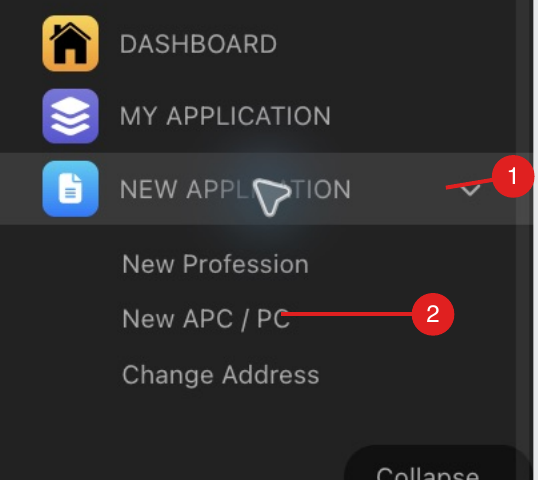
Under New Application, select New APC / PC, add the profession and practice details, then use Add New Practising Address. Select the correct state, district and practice location before saving.
Include the principal address and other locations where you actually practise. If an address is missing, follow the system’s address addition process. Seek MAHPC’s advice on house calls or multiple-location arrangements when the correct entry is unclear. PC application manual.
5. Download the approved certificate
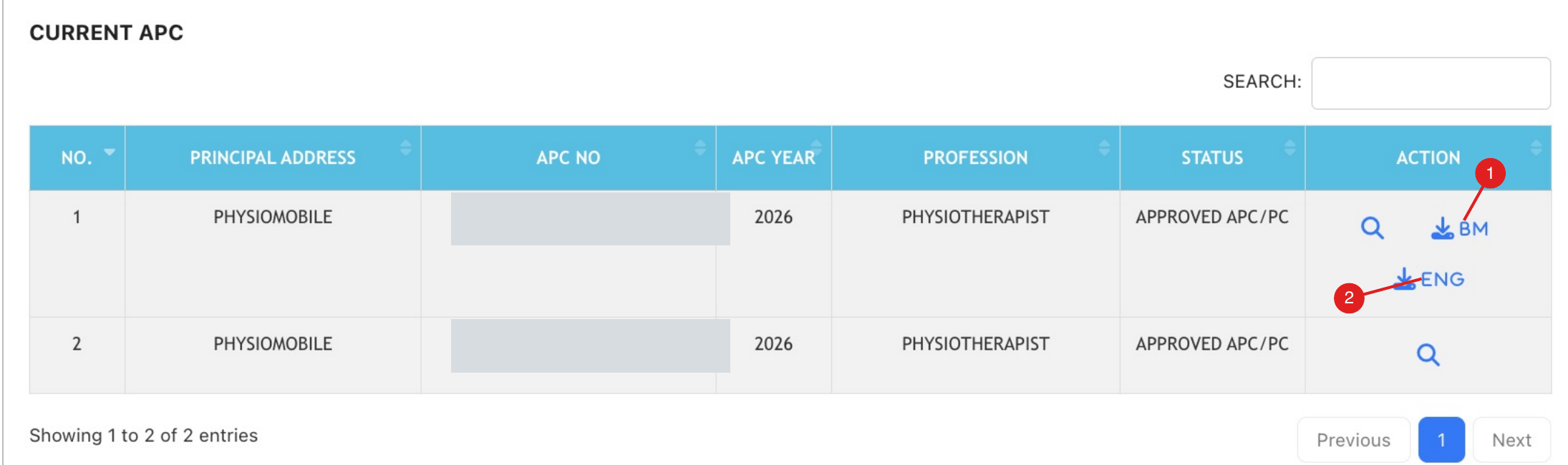
Once the application is approved and the required issuance payment is complete, check APC Information on the dashboard. Under CURRENT APC, use the BM or ENG download button. The registration certificate is available separately through Profession List. These menu locations were checked on 5 November 2026; follow the current portal labels if the interface changes.
Freelance partners and practitioners without a centre
A freelancer with a genuine service contract with a centre and an independent house-call practitioner should each describe their actual arrangements. A partner label in an app does not, by itself, establish an employer–employee relationship. Before using Physiomobile’s name or an address, obtain HQ confirmation and documentation of the real service arrangement.
If you are not attached to a centre
The official Practice Verification Form (MAHPC/UP/BPA-01) includes a Bekerja sendiri / Self-Employed option. Page 7 of the 2023 Registration Guidelines, item 2.2.1 note ii, allows self-employed practitioners to provide a permanent address or the address in their business register, where applicable. This provides a basis for submitting address details; it does not guarantee acceptance of a particular address or authorise a treatment premises. Read the official MAHPC guidelines.
If an address is missing or the organisation fields do not fit your circumstances, follow the address addition process and seek MAHPC’s instructions. The official example requests an SSM certificate as address evidence; if you do not have one, ask MAHPC to confirm alternative evidence under item 2.2.1 note ii. Use Others only if it is available and appropriate. Do not select someone else’s centre or invent an employer simply to complete the form.
Who may verify your practice?
For employed applicants, the verifier is the employer. For self-employed applicants, Part C lists registered medical practitioners, registered dental practitioners, qualified/registered allied health practitioners or professional associations registered with the Registrar of Societies. The verifier completes the details, signature, official position/organisation stamp and date, and must be able to substantiate the information certified. Download the official three-page form.
Practice verification and certified copies serve different purposes
The MAHPC guidelines specify government officers in the Management and Professional Group for document certification; the relevant paragraph does not prescribe a universal grade number. Eligibility to verify practice does not automatically establish eligibility to certify academic copies. Take the originals and copies to an accepted certifier.
Although the guidelines also mention Commissioners for Oaths, the Judiciary’s FAQ says they cannot directly certify true copies; they may receive a statutory declaration made by the document owner. Confirm MAHPC’s acceptance of that declaration format before using it. Official Judiciary FAQ.
Does every freelancer need SSM registration?
The freelance label alone does not settle the question. Section 4(d) of the Registration of Businesses Act 1956 provides an exception for businesses consisting solely of certain professions regulated through legally prescribed qualifications and registration. The material reviewed does not specifically resolve its application to every form of independent physiotherapy practice. Ask SSM and MAHPC for confirmation based on your activities, entity and operating location, rather than assuming all freelancers require SSM registration or that all are exempt. Section 4(d), official SSM source.
The ROB/EzBiz guide covers Peninsular Malaysia and Labuan; practitioners in Sabah or Sarawak should check the applicable local arrangements. Business registration does not replace professional registration, a PC or premises approval. SSM business registration guide.
What is inside the free PDF?
The Bahasa Melayu PDF brings the workflow together in 18 pages and 27 annotated figures: document preparation, account activation, profile and qualification fields, practice evidence, declarations, payments, address selection, certificate downloads and common problems. Live portal screenshots and examples from official manuals are labelled separately.
For further reading: MAHPC registration and eligibility · Overseas physiotherapy qualifications.
PDF · 18 pages · 27 figures · BM · 4.4 MB
Download the free illustrated MHPS–PC guide
Enter your name and email address. Your browser will download the Bahasa Melayu PDF after you submit the form.
Sources: official MAHPC information, registration and PC manuals, photograph guidance and the registration/PC notice linked above. Portal checked on 5 November 2026. Current MAHPC instructions and the issued certificate take precedence.